 繁体中文
繁体中文 Italian
 Spanish
 Thai
Thai Turkish
 Japanese
 Portuguese
 Russian
 French
 German
 Polish
 Arabic
Oct 15,2026
How to find a professional partner for customized 3C accessories
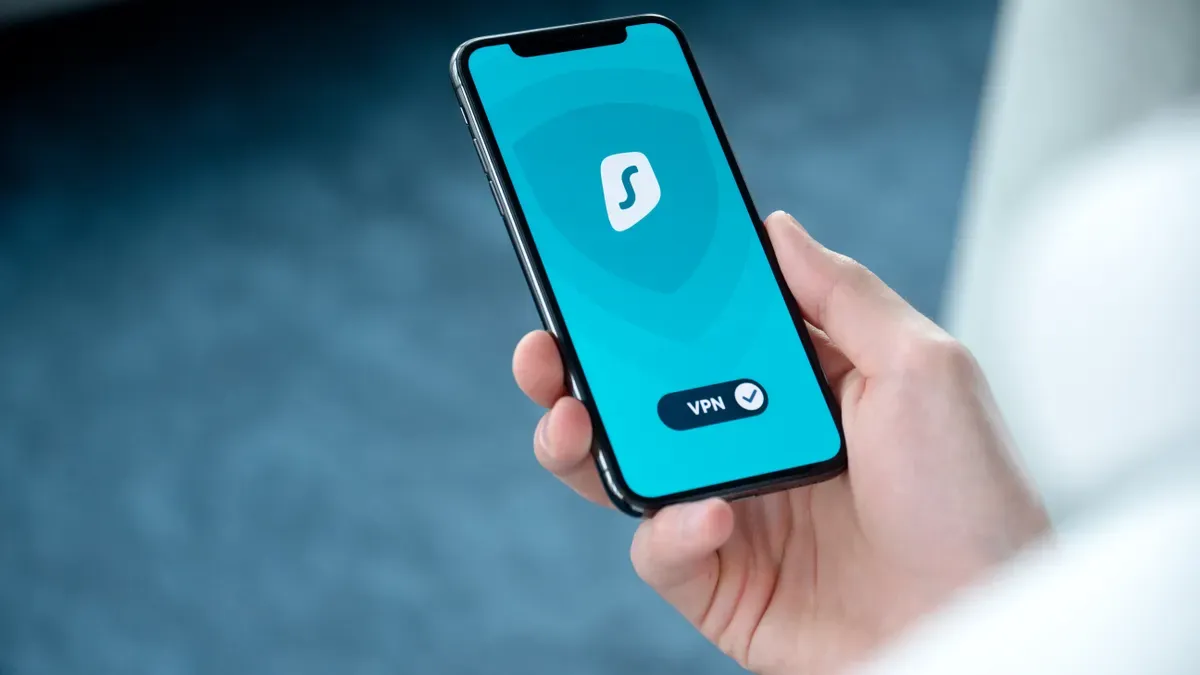
Modern mobile security combines strong phone designs with advanced software programs. Complete mobile threat defense protects hardware from drop damage while stopping active cyber attacks like phishing and zero-day malware. Experienced mobile security companies defend smartphones from digital risks and physical drops.
The global mobile security market size is projected to reach $7.2 billion by the end of 2024, according to a MarketsandMarkets report.
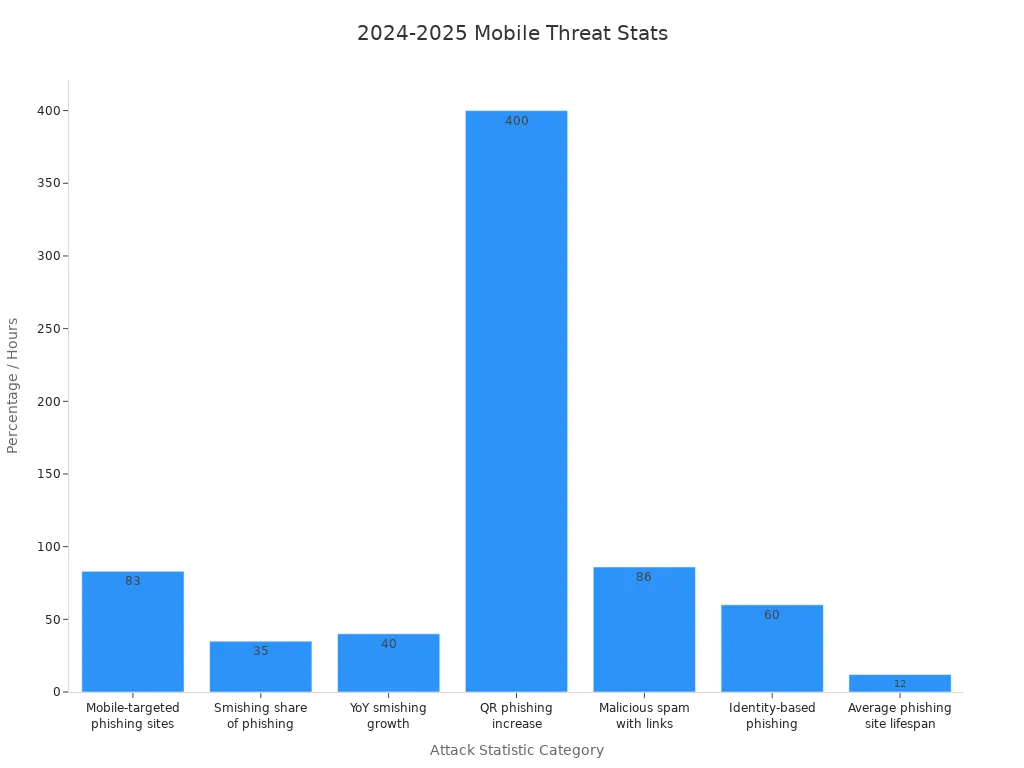
Top providers deliver useful mobile security software and unified endpoint security. Industry leaders X·ONE, CrowdStrike, Microsoft, Lookout, SentinelOne, and Check Point offer proven mobile protection products, strong cybersecurity tools, and reliable malware protection.
Full mobile security joins strong outer cases with smart software that blocks online threats.
Smart mobile protection software blocks active cyber attacks like phishing and zero-day malware right away.
Privacy-centered safety apps keep work files safe without watching your private photos or reading text messages.
Built-in artificial intelligence stops dangerous file threats even when phones lose their internet connection.
Connecting mobile security tools to main management systems builds strong protection across all company devices.

Today, modern businesses change quickly into digital workplaces. Flexible work setups lead employees to open work networks using personal cell phones. Bring Your Own Device rules increase business movement across all global operations. Using cloud computing speeds up this change by placing key work tools right onto worker phones. Company IT teams must now manage many personal devices next to standard office equipment.
Risk areas grow constantly as fast 5G networks and linked IoT gadgets spread everywhere. Hackers create specific digital threats like unique ransomware and zero-day attacks just for phone operating systems. Workers often face smart mobile malware attacks and fake text phishing links away from company firewalls. Businesses need special mobile security software to watch network paths and block bad app actions right away.
Tougher compliance laws force global firms to use strong data safety rules. Financial companies manage large amounts of online banking actions and mobile payments daily. Today's biometric login tools like face scanners and thumbprint readers keep user accounts safe from bad actors. Lawmakers require regular safety checks to protect private client data across every active phone.
Firms use clear management tools to stop sensitive information leaks on unsafe devices. Tech managers often set up mobile security software on private and work phones to block unsafe file sharing.
The business use of strong mobile security depends on main industry points:
Rise in mobile home workers and cloud tool use
Increase in bad mobile dangers like malware and fake links
Tough government rules about storing company information
Choosing good mobile security software helps modern firms protect vital online data safely. Strong mobile security software blocks unwanted network entry fast without hurting overall system speeds. Business security managers keep high digital safety standards while helping staff stay very helpful everywhere. Using complete mobile device protection keeps company network systems safe from major data leaks.
Enterprise IT managers review key safety features before picking mobile protection products for company phones. Modern business security setups need smart software tools that stop digital hazards quickly. Powerful mobile threat detection systems check background data all day to catch strange operating habits. These smart programs catch bad software installs, unsafe system updates, and exposed Wi-Fi links instantly.
Real-time threat detection provides immediate identification of malicious activities, with automated response mechanisms capable of quarantining threats within seconds of detection.
Smart response features block dangerous file threats quickly before private corporate files leak out. Specialized mobile security software cuts off compromised devices from central company networks automatically. Quick network disconnection prevents bad software from spreading across company systems during cyberattacks. Clear dashboard tools show security teams current health updates for every employee device.
Total equipment safety plans need strong outer physical cases alongside top mobile security software solutions. Broken phones lead to expensive repair costs, missed worktime, and serious hardware safety risks. Tough impact cases take heavy hits well during rough daily jobs. Special layered material designs push shock forces away from delicate inner circuit parts safely. Extra corner padding guards glass displays when devices fall onto rough concrete floors.
Companies use smart cybersecurity solutions on every phone to keep daily work running smoothly. Current endpoint security programs watch digital threats while strong outer cases stop physical drop harm. Technology leaders combine mobile security software with tough outer covers for strong overall protection. Complete phone defense keeps internal parts safe while helping devices last longer during heavy work use.
Started in 2009, X·ONE works as a top mobile security business making strong physical covers. This brand has shipped past 100 million items to 60 nations worldwide. Smart makers at X·ONE craft top mobile protection products using new ideas, winning 180 patents plus honors. Groups choose X·ONE to bring complete safety for modern company smartphone fleets.
X·ONE joins smart science with precise building methods to stop heavy physical hits. Their special Hybrid Polymer Impact Protection uses multi-layer shock spreading to move strike power off fragile glass screens. Also, the business adds EnduraClear anti-yellowing shields and AR Pro coatings. These surface features keep clear protective cases working well through long daily use times.
Designers build special shapes, like honeycomb styles, to lower strong motion transfer during hard drops. Outside test results prove the tough safety scores of these unique physical protection items:
Technology | Claimed Impact Test Result |
|---|---|
DNA Guard | Surviving 20ft drops |
Impact Fusion | Up to 7× the impact protection of an unprotected screen |
Strict outside checks approve every physical safety item inside the full X·ONE lineup. Independent testing groups SGS and TÜV run standard drop trials on screen guards plus tough cases. These real certificates show strong device safety during tough daily job tasks.
This product group fits clear technical rules made by top phone makers. X·ONE holds official Apple MFi approval for power links, along with full agreement for global Qi wireless tools. Outer gear protects beside business mobile security software, keeping inside phone parts secure while programs guard web paths.
CrowdStrike expands modern endpoint security to mobile devices using its cloud-based system. A small sensor runs constantly in the background without draining batteries or slowing down phones. IT teams use this centralized mobile security platform to watch app actions and web traffic across company devices. The mobile threat detection system spots strange behavior fast and stops bad code before hackers steal data. This active defense strategy uses mobile security software to stop data leaks across remote teams easily.
Smart monitoring features help security teams check file details on iOS and Android phones. Business IT teams use modern mobile security software to find hidden bugs, bad setup changes, and password attacks. Managers check detailed event logs to track risky app permissions and unsafe file downloads. The cloud system updates safety rules constantly to protect remote workers from clever phishing scams. Companies keep networks safe while letting workers open main work tools quickly.
CrowdStrike offers full endpoint security across cloud networks, desktop systems, laptops, and mobile devices. A main web console gives managers clear visibility into all connected business devices. IT leaders set up specialized mobile security software to shield private work files on worker phones. Live reporting tools help tech staff track device safety rules and find outdated phone systems. The clear dashboard helps managers use uniform data safety rules across all company locations.
Smart safety tools start quick defense steps whenever strange actions happen on watched phones. The platform cuts off infected mobile devices from company networks fast to stop threats from spreading. Security teams get fast warning alerts to check safety issues from anywhere. Managers use mobile security software to fix online risks remotely without disrupting clean device features. Using strong mobile endpoint security protects company networks while helping employees work smoothly.
Microsoft provides strong mobile endpoint security by connecting straight to Microsoft Intune. Tech teams use mobile security software to track company hardware from one central cloud dashboard. This single control setup simplifies daily mobile device management across iOS, Android, macOS, and Windows devices. Having one main management board removes the hassle of switching between different tech tools. IT teams keep steady safety rules, send out updates automatically, and apply company rules across all connected devices easily. Tech managers track hardware conditions across global work sites with ease.
Companies set up this connected system using a simple three-step setup process:
Connect Defender for Endpoint to Intune: Turn on the direct connection inside the Microsoft Defender settings panel to start sharing data.
Configure integration settings: Turn on rule checking and app protection options for Android and iOS systems inside the admin center.
Onboard devices: Send out the specialized mobile security software app and set safety rules right onto user devices without signing them up again.
Microsoft connects mobile security software with cloud data tools to check digital risks on linked phones right away. This setup gives ongoing endpoint security by checking phone health before letting users open private company databases. The system handles shared alerts, setup rules, and user privacy features across business mobile security systems. Smart safety checks block infected phones fast, which greatly improves company cybersecurity standards for off-site workers. Main dashboard screens show safety reports clearly, letting tech teams fix digital threats quickly.
Tech managers rely on mobile security software to stop network attacks, risky apps, and fake web links on work devices. Built-in tools like Microsoft Tunnel act as safe network paths to guard data movement on mobile phones. The combined platform speeds up response times by letting tech teams block infected phones from far away. Setting up defense tools builds better mobile security while offering total device protection across company networks. This complete endpoint security setup reduces daily IT work while keeping vital files safe during online work tasks.
SentinelOne provides endpoint defense for phones with its Singularity platform. The system handles mobile devices like standard office computer endpoints. Companies install mobile security software on remote devices to support strong modern cybersecurity strategies. This active mobile security platform checks incoming data flows and blocks risky programs fast.
Smart AI code runs right inside the user phone operating system. The program checks app actions and stops bad code without needing cloud connections. This instant mobile threat detection blocks zero-day malware, fake websites, and unsafe Wi-Fi connections right away. This mobile security software checks user apps all day to spot privacy risks and unsafe phone permissions. The tool limits bad applications automatically to keep company safety rules strong.
The built-in engine checks incoming messages across text chats, personal email, and social apps. The software blocks bad web links before workers open them. This smart setup stops every digital threat right away.
Off-grid staff face steady online risks while traveling through zones without internet access. Custom tools keep up self-running device safety on smartphones operating completely offline. Teams use mobile security software to protect remote staff working on public Wi-Fi networks. The local AI engine keeps active threat detection working during long offline periods. Phone hardware stays completely safe from new cyber risks without needing daily cloud updates.
Protects iOS, Android, and ChromeOS devices across the business
Runs non-stop habit checks directly on local phone chips
Blocks data access when apps ask for risky phone permissions
The platform saves log details automatically once the phone connects to local networks again. This step gives tech managers clear views into past offline events. Firms select mobile security software to keep matching rules across iOS, Android, and ChromeOS operating systems. Adding mobile devices into overall endpoint security builds better company defenses everywhere. SentinelOne gives steady safety while sending full incident reports right back to main IT consoles.
Lookout provides dedicated mobile security by using powerful risk information. Its smart brain builds on over 15 years of deep research. The cloud tool checks info across 242 million mobile phones globally. This constant tracking shields company apps across three main areas: hazard safety, smart computer rules, and online trick defense. Other safety products leave big openings in these exact spots.
This mobile security software scans web traffic to block new tricks right away. Smart programs check bad web links inside browsers, text messages, and office chat apps. The program stops many fake contact types very well:
Fake emails, text scams, and bad phone calls
Boss impersonation tricks and dangerous QR codes
Bad messages sent on WhatsApp, iMessage, and Signal
The main safety program brings total web security by blocking unsafe Wi-Fi spots and bad file moves. The brain checks over 583 million web addresses to mark bad sites before workers click them. This active safety tracking guards off-site workers from quick cyber risks while keeping devices running smoothly.
Workers use one smart phone for personal errands and regular job duties. Normal safety programs monitor every user action, which creates big privacy worries for staff members. Lookout uses custom mobile security software to build a privacy-first protection system. This layout gives great personal privacy while keeping corporate systems fully safe.
Privacy Constraints Due to the dual-use nature of mobile devices (both personal and work), mobile endpoint protection must respect user privacy, avoiding invasive monitoring and ensuring data separation—especially in BYOD environments. Traditional endpoint solutions aren’t designed with this granularity.
Guarding phone systems needs a special plan instead of reusing old computer safety tools. The mobile security software defends against user tricks, bad program risks, and old system bugs. Tech leaders use this mobile security software to hold firm safety rules without reading private photos or personal texts. Joining strong phone safety with clear privacy rules keeps home workers busy and secure.
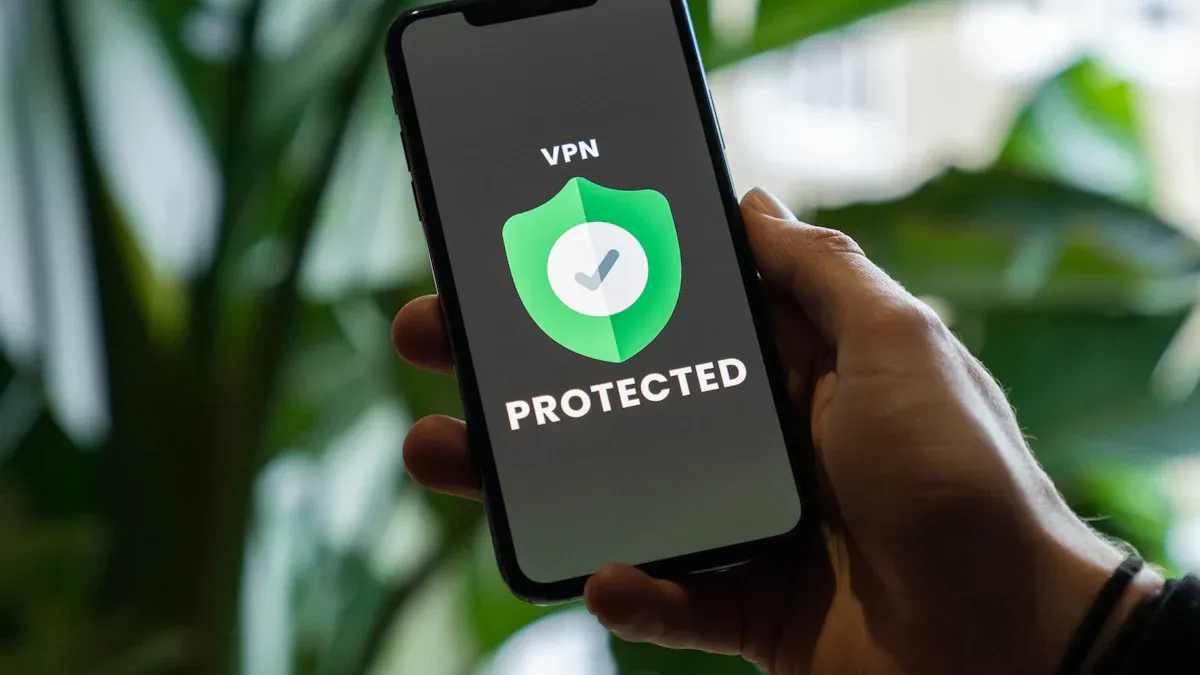
Check Point Harmony Mobile keeps company phones safe from modern web risks. Tech staff install this mobile security software to offer fast malware safety on business devices. The platform checks digital files quickly to stop bad computer code right away. Advanced cybersecurity tools keep mobile hardware safe while locking down secret company details.
Complete safety plans must shield every weak spot across all mobile business tools. Check Point guards company phones across every main attack path:
Secures mobile devices across attack vectors: apps, files, network, and OS
Complete protection across all mobile attack vectors, including SMS
The program checks how apps act right on business hardware. It stops hacked programs from taking secret corporate files. Smart testing tools check software code to find hidden bugs before workers install new apps.
Harmony Mobile’s device-level integration with Samsung Knox Agent provides a one-of-a-kind ability to perform a solid application vetting, using MARS and launch-prevention for work and personal profiles.
Thanks to Check Point Harmony Mobile, the threat was detected before execution.
Check Point Harmony brings smart network protection to off-site workers. The system checks internet data to block bad web links before employees click them. Staff browse safely because the mobile security software blocks fake phishing sites over cell networks. Special web filters block man-in-the-middle attacks on open public Wi-Fi spots. The tool scrambles data paths to protect private info moves during active web sessions.
This tool builds strong endpoint security across mixed work spaces. Current mobile security platforms stop unwanted data moves over unsafe connections automatically. Central reporting tools show instant views of network dangers for off-site IT staff.
Security leaders simplify daily tech tasks by connecting this program with main business endpoint security setups. The unified system gives ongoing mobile threat detection without draining phone batteries fast. IT teams use this mobile security software to apply safety rules across remote teams easily. Adding this special mobile security software to current security setups blocks web attacks fast.
A complete company plan pairs strong physical covers with protective digital programs. Tough outer cases protect phones from falling damage. At the same time, mobile security software catches active web attacks. Security managers check physical phone ownership plans along with online safety goals.
Company setup plans depend on who owns the phone hardware. Businesses select between BYOD, CYOD, COPE, and COBO ownership plans.
BYOD: Raises safety risks from old software, hard data recovery, and mixed device types.
CYOD: Lets workers pick approved devices while needing strict work data limits.
COPE: Gives company phone ownership but uses separate storage to protect staff privacy.
COBO: Stops personal activities and blocks app stores to give the highest safety.
IT teams add mobile security software on BYOD devices to protect company files. Personal employee phones bring big risks without strong mobile security tools. Buying approved cases with mobile protection products maintains physical safety. Meanwhile, network leaders set up mobile endpoint security tools to watch work devices easily.
Security teams check software fit across major systems like iOS and Android. Tech managers pick lightweight app designs to save battery power and running speeds. Also, tool makers must protect user privacy by collecting basic system details only.
Modern mobile protection tools depend on simple software connections. IT teams link mobile security software straight into existing phone management tools. This single setup gives complete endpoint security tracking across all company systems.
Security brands must offer flexible mobile security systems for growing mobile work teams. System managers set instant risk rules to block any unsafe mobile threat fast. Single screen boards send live safety alerts directly to main defense teams. As a result, linking shared device control tools with active mobile security software creates total protection against online risks.
Modern business defense needs strong cases alongside digital safety software. Heavy-duty outer cases protect phones against bad fall damage. At the same time, top mobile security software stops web risks across online networks. Famous mobile security companies mix hard outer armors with modern endpoint security to boost total protection.
Companies must partner with a known mobile security seller to boost defense. IT managers must check mobile devices, install mobile security software, and use tested cybersecurity solutions. Using proven mobile protection products shields business devices to keep ongoing endpoint security. Running active mobile security software promises strong safety. Joining tough outer covers with active defense tools delivers top mobile security and complete cybersecurity everywhere.
Mobile security software protects smartphones from cyber attacks. It scans applications, monitors network traffic, and blocks dangerous software in real time. Businesses rely on these programs to keep private digital files safe across remote workforces.
Hardware protection guards physical parts from severe impact damage during drops. Meanwhile, specialized software blocks bad web links and digital data leaks. Combining physical screen armor with mobile security software creates complete protection for modern enterprise devices.
Modern mobile security software isolates work databases from personal files. The software monitors malicious network activity without tracking personal photos or private text messages. This balanced approach protects enterprise security while maintaining worker privacy on personal smartphones.
Certain platforms run artificial intelligence models directly on local device processors. This design allows mobile security software to detect suspicious behavior and prevent data leaks even without an active internet connection.
Join X.ONE to access our best-selling original product,and leverage our end to end technical and marketing support to unlock new growth opportunities for your business.
 Material Support
 Training Support
 Marketing Support
 Exhibition Support
 Technical Support
 After Sales Support